
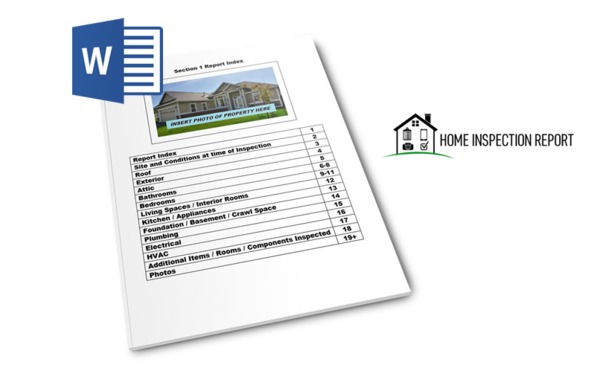
So you’re not exactly a tech-savvy kind of person? Do you prefer to work in Microsoft Work? You’re in luck. Report Form Pro is available in Word format.
Report Form Pro for Word is as comprehensive as our mobile app. Instead of an interactive experience, it’s designed as a document that’s compatible with your computer, mobile device or as a printed hard copy you can fill out by hand.
Who Doesn’t Know Microsoft Word?
If you use a computer at all, you probably know Word like the back of your hand. Report Form Pro for Word is just that simple.
First, download the file to your computer. Once you have it, it’s yours to modify and use again and again.
What you see on the screen is what your customers will get. The form has clear text, fields for all of the most common home inspection elements, such as roofs, plumbing and electrical. Upload photos to the report and you’ll be done. Save it with a unique file name based on the customer, email it to the customer. The original file will be ready and waiting the next time that you need it.

Print reports and fill them out by hand or re-type them later when you’re at your desk.
Use a Printed Copy for Handwritten Reports
Are you a traditionalist? Is there something about writing out a report by hand that resonates with you? The developers of Report Form Pro understand, which is why you can use this software to do just that.
Print out a copy of the report to carry with you into the field. It has the same entries, such as HVAC and Plumbing, as it would on your computer, but instead of typing in your findings, you’ll write them in by hand.
You’ll need a digital camera to take photos on site. Print them out and attach them to the report, and your customers will have a clean, attractive hard copy report to read and keep.
It Also Works With Your Mobile Device
Wait a minute. Isn’t the Word version of Report Form Pro designed for a computer? It is, but it also works with a mobile device. It’s not the same as using the mobile app.
With the Word version, you’ll have a home inspection report document on your mobile screen the same as you would with a desktop or laptop. Tap the screen to fill in the fields, take photos using your device camera, then save the report.
Using the Word version, you can email the document to your customer using your mobile device. You can also email it to yourself, or wait until later and transfer the file to your computer to finish up.
Great home inspection reporting software isn’t necessarily the most technologically advanced. What makes it great is how well it fits with the way you work and whether or not it produces good-looking results that you can be proud of.
That’s what you get with the Word version of Report Form Pro. Print it out and carry it with a clipboard. Download it to your smartphone or tablet. Write it out by hand and re-type it later when you’re sitting at a computer. Whatever your home inspection style, this software is a comfortable fit that looks great and makes your job easier. It’s basic, efficient, and just right.
Home inspection reporting doesn’t need bells and whistles to perform well. Download Report Form Pro for Word today and see what we mean.